Mastering Depth and Dimension: A Practical Guide to the Cleon Procreate Shadow Brush
In the evolving landscape of digital illustration, efficiency often dictates the quality of a workflow. For lettering artists and graphic designers working within the iPad ecosystem, creating consistent, aesthetically pleasing shadows can be one of the most time-consuming aspects of the design process. Manual shadow creation requires precise layer management, opacity adjustments, and often complex clipping masks. This is where specialized tools like the Cleon Procreate Shadow Brush enter the conversation, offering a streamlined alternative to traditional methods.
This article explores the functionality, practical applications, and strategic value of this specific digital asset. By understanding how it compares to manual techniques and other automated solutions, you can determine whether it aligns with your current creative needs and technical setup.
Understanding the Tool’s Core Functionality
The Cleon Procreate Shadow Brush is designed as a single-file solution for adding depth to typography and illustrations. Unlike standard round or texture brushes that require significant manipulation to achieve a shadow effect, this tool is pre-configured to simulate natural light displacement. When you download the package, you receive a .brushset file intended exclusively for the Procreate application on iPad. The installation process is straightforward: once the file is located in your iPad’s Files app under Downloads, a single tap automatically imports the brush into your Procreate library.
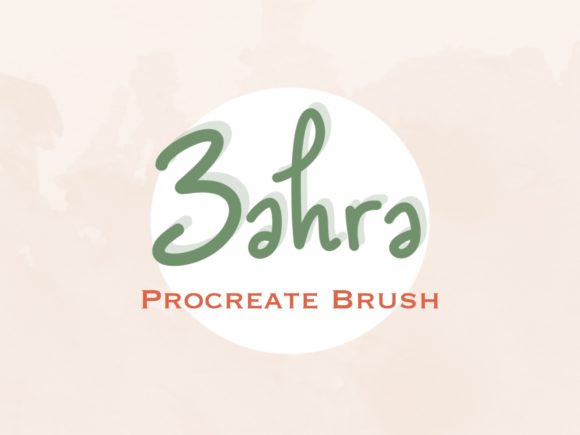
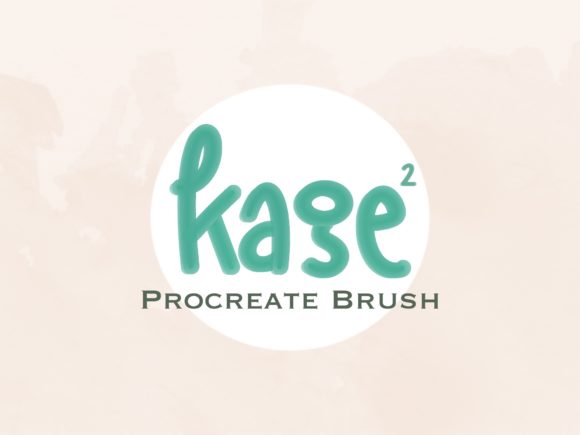
The primary distinction of this brush lies in its ease of use for lettering design. Instead of duplicating layers, offsetting them, and adjusting blur settings manually, users can apply the shadow directly alongside their primary strokes. This reduces the number of steps required to achieve a polished look, which is particularly beneficial for professionals managing tight deadlines or creators producing high volumes of social media content.
Comparing Automated Brushes vs. Manual Techniques
To evaluate the true value of the Cleon Procreate Shadow Brush, it is essential to compare it against the two most common alternatives: manual shadow creation and generic drop-shadow effects.
The Manual Approach
Traditional digital painting involves creating a new layer beneath your main artwork, painting the shadow shape by hand, and then applying Gaussian blur or motion blur filters.
- Strengths: Offers complete control over the angle, softness, and color of the shadow. Ideal for complex scenes with multiple light sources.
- Tradeoffs: Time-intensive and requires a higher skill level to maintain consistency across different letters or elements.
Generic Drop-Shadow Effects
Many designers rely on Procreate’s built-in layer styles or external apps to apply uniform drop shadows.
- Strengths: Fast and uniform.
- Tradeoffs: Often looks flat or artificial. It lacks the organic texture and variation that hand-drawn shadows provide, which can make lettering feel disconnected from the background.
The Cleon Brush Advantage
The Cleon Procreate Shadow Brush sits between these two extremes. It provides the speed of an automated effect but retains the organic feel of a hand-drawn element. Because it is a brush rather than a static filter, it responds to pressure and tilt (depending on settings), allowing for subtle variations that mimic real-world lighting. This makes it a strong candidate for artists who want the polish of manual work without the associated time investment.
Best-Fit Scenarios and Use Cases
No single tool is universally perfect. Understanding when to deploy this specific brush can help maximize its utility in your workflow.
Ideal for Lettering and Typography
The brush is explicitly optimized for lettering design. If you create quote graphics, logo concepts, or hand-lettered posters, this tool can significantly accelerate your process. It allows you to maintain a consistent shadow style across an entire alphabet or phrase, ensuring visual harmony without repetitive manual adjustments.
Suitable for Quick Social Media Assets
For content creators who need to produce daily or weekly visuals, speed is critical. The ability to add depth with a single stroke means you can iterate on designs faster. You can experiment with different shadow angles and intensities in real-time, facilitating a more dynamic creative process.
Limitations to Consider
While efficient, this brush may not be suitable for hyper-realistic illustrations or complex 3D environments. If your project requires accurate physics-based lighting with multiple interacting light sources, a manual approach or 3D software might still be necessary. Additionally, because this is a digital download with no physical component, users must be comfortable managing files on their iPad. There is no customer support for hardware issues, and the tool is strictly limited to the Procreate ecosystem on iPadOS.
Evaluating the Decision Factors
When deciding whether to integrate the Cleon Procreate Shadow Brush into your toolkit, consider the following factors:
- Workflow Volume: If you produce lettering art frequently, the time saved per project will likely justify the acquisition. For occasional users, the learning curve of mastering manual shadows might be more beneficial in the long run.
- Style Consistency: If your brand or artistic style relies on a specific type of soft, organic shadow, this brush can help enforce that consistency across all your work.
- Technical Comfort: Ensure you are comfortable navigating the iPad Files app for installation. The process is simple, but it requires basic digital literacy regarding file management on iOS.
Responsible Usage and Licensing
It is important to note the ethical and legal boundaries surrounding digital assets. The Cleon Procreate Shadow Brush is a licensed product. Users are granted the right to use the brush for personal and commercial projects, such as creating client work or selling prints. However, the license explicitly prohibits claiming the brush set as your own, copying the file for distribution, sharing it with others, or reselling the brush itself. Respecting these terms supports the developer community and ensures continued innovation in digital tools.
If you encounter issues during installation or usage, reaching out to the creator is the recommended course of action. Most independent developers are responsive to technical queries, provided they relate to the digital product’s functionality.
Final Thoughts on Integration
The Cleon Procreate Shadow Brush represents a targeted solution for a specific problem: the tension between quality and speed in digital lettering. It is not a replacement for foundational artistic skills, but rather an enhancer that allows skilled artists to work more efficiently. By reducing the mechanical burden of shadow creation, it frees up mental energy for composition, color theory, and conceptual development.
For those exploring alternatives, consider testing this brush against your current method on a small project. Compare the time taken and the visual outcome. If the organic texture meets your aesthetic standards and the workflow feels smoother, it may well become a staple in your digital arsenal. As with any tool, its value is determined by how well it serves your unique creative goals.